
 squero-studio-mx
Squero Studio MX#
Squero Studio MX is an open-source, MATLAB-style workbench built on a Julia kernel and wired directly to Paperboat’s solvers and simulation engine. It pairs a persistent workspace, grid variable editor, interactive 2D/3D figures, and visual debugger with Paperboat’s optimization (OSQP, Ipopt) and dynamical-system simulation (state_space, rhs) blocks.
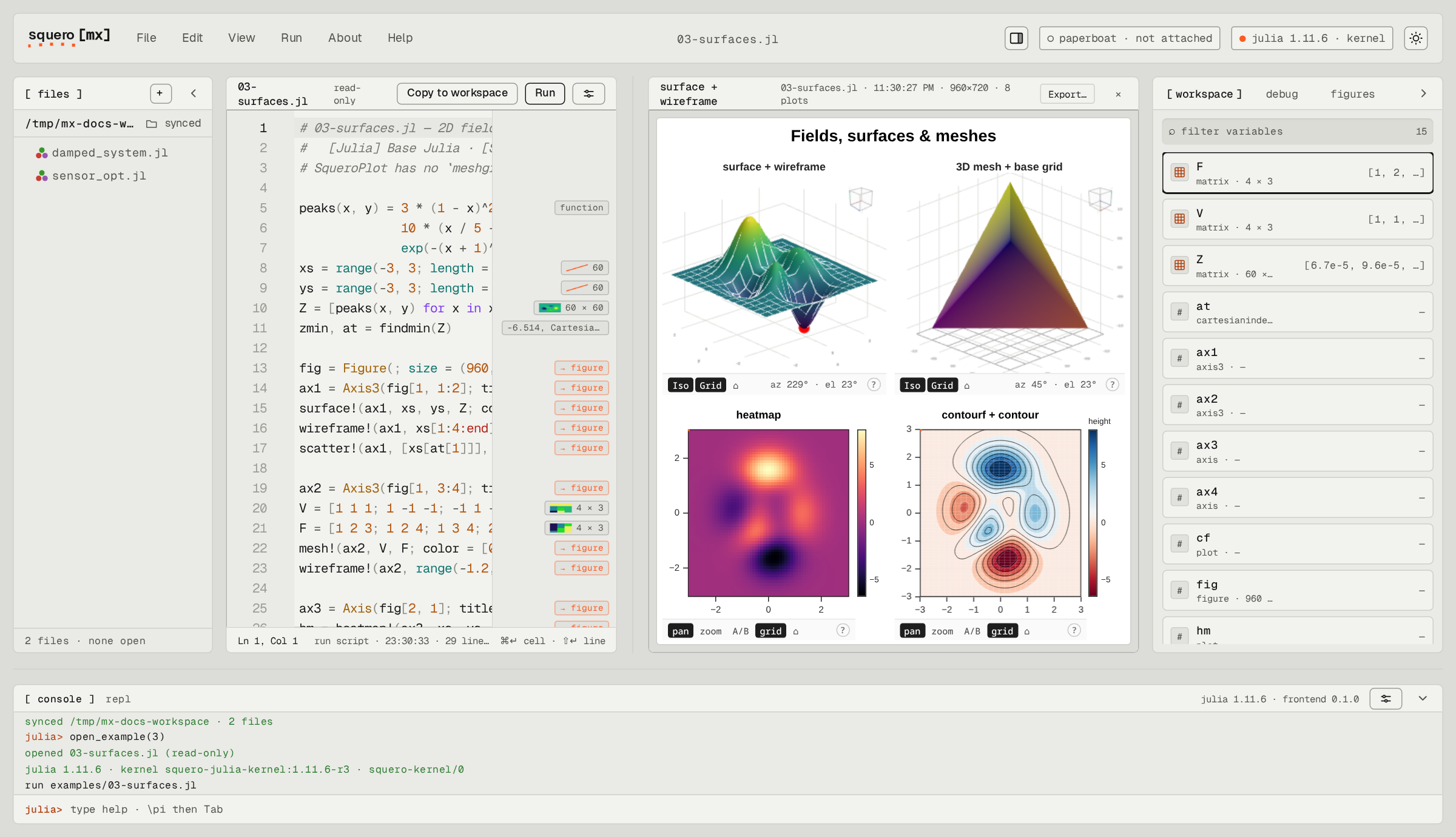
MX is not a MATLAB compatibility clone—it does not run .m files. Instead, it gives you an
interactive scientific workbench (1-based indexing, A' * A, A \ b, .*, end,
persistent workspace, cell execution) powered by Julia 1.11, with SqueroPlot and
SqueroBase preloaded in every session.
What MX adds beyond standard Julia#
Persistent session workbench: run whole scripts,
#%%cells (Ctrl/Cmd+Enter), or single lines (Shift+Enter) while inspecting inline values and a live[ workspace ]pane.Interactive grid variable editor: double-click any vector or matrix (or run
openvar A) to inspect and edit entries in a spreadsheet grid or paste tabular data straight in.Preloaded ``SqueroPlot`` + figure history: draw 2D charts and interactive 3D surfaces with zero setup, inspect past runs side by side in
[ figures ], and export to PNG, SVG, EPS, PDF, or standalone HTML.Visual debugger: set gutter or conditional breakpoints and step through Julia functions with a live call stack, locals, and watch expressions.
Direct Paperboat bridges (``SqueroBase``): solve LP/QP/NLP problems via
optimize(...)in Paperboat’s C++ solvers, automatically broadcast workspace variables to running Paperboat stations, and launchstate_space/rhssimulations straight from the workbench.
Workbench
Environment